
Dockship
A powerful self-hosted Deployment Platform
Key Features •
Installation •
License
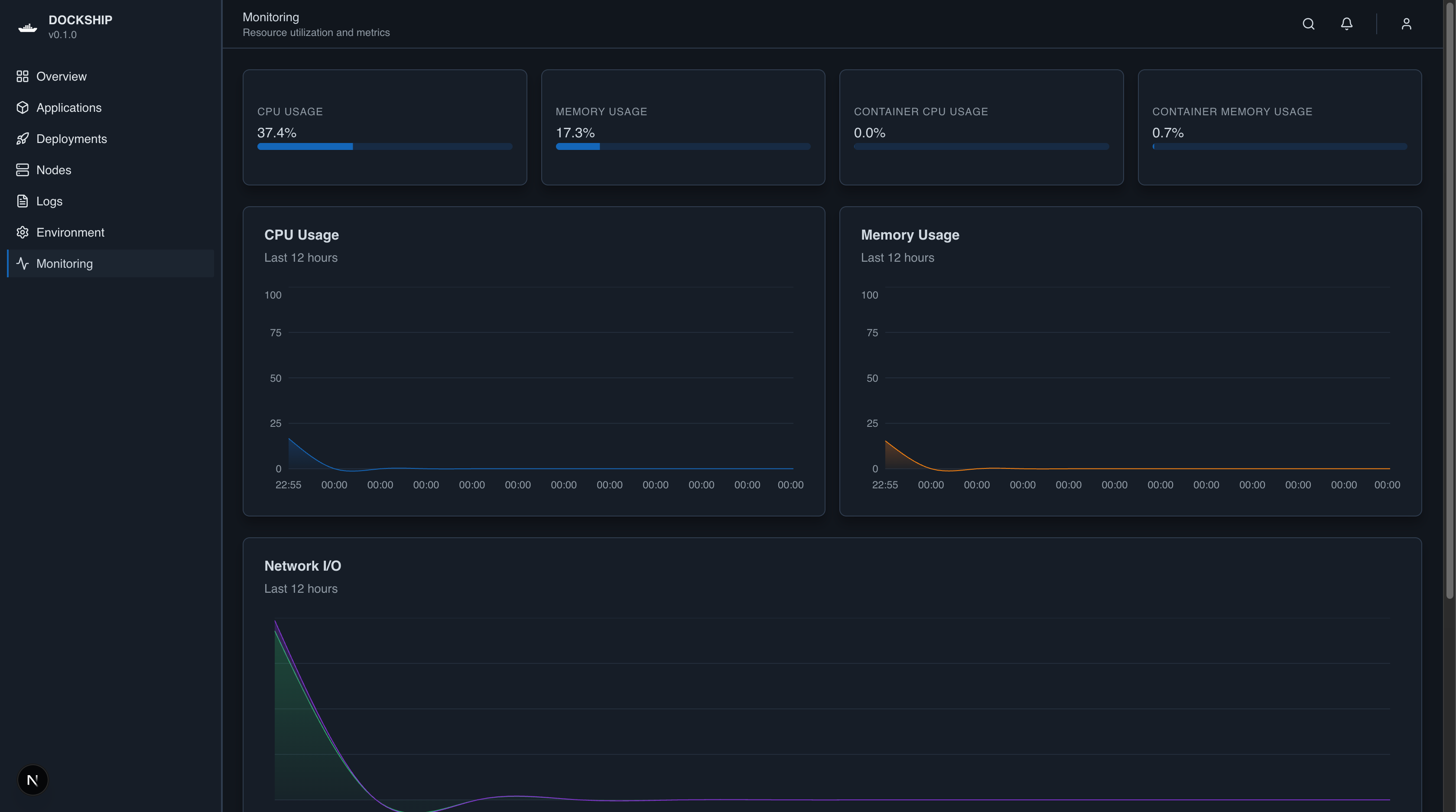
## Key Features
#### Core Deployment
- **Easy Deployment** - Deploy Dockerized applications in just a few clicks. Provide your app name, repository, and Docker image, and Dockship handles the rest.
- **Docker Integration** - Pull and run images from any registry. Validate Dockerfiles and optionally build images from repositories.
#### Application Management
- **App Management** - Start, stop, restart, and remove applications from the dashboard. Track running containers and deployed images easily.
- **Real-Time Logs & Monitoring** - Stream container logs in real-time and monitor CPU, memory, and disk usage for each node.
#### Multi-Node & Scaling
- **Multi-Node Support** - Manage multiple nodes in your infrastructure. Deploy applications across nodes and monitor them centrally.
- **Extensible Architecture** - Each application stores its metadata and Docker image reference, making builds, redeployments, and future scaling simple.
#### Security & User Experience
- **Secure Access** - Authenticate users to ensure only authorized personnel can deploy and manage applications.
- **User-Friendly Dashboard** - Clean and responsive UI with light/dark mode support. Quickly see all apps, their status, and node assignments.
#### Future Features
- Git integration and automatic builds
## Installation
#### Dependencies
- [Git](https://git-scm.com)
- [Docker](https://www.docker.com)
- [Node.js](https://nodejs.org/en/download/)
Run this on bash
```bash
wget -qO- https://raw.githubusercontent.com/orus-dev/dockship/refs/heads/master/installer.sh | bash
```
Or with curl
```bash
curl -fsSL https://raw.githubusercontent.com/orus-dev/dockship/refs/heads/master/installer.sh | bash
```
## License
MIT
> Website [orus-dev.app](https://orus-dev.netlify.app) ·
> GitHub [@orus-dev](https://github.com/orus-dev)
Huge thank you to [@amitmerchant1990](https://github.com/amitmerchant1990) for making this readme template